How to edit your vehicle in the Neon Registry
Keeping your vehicle entry up to date helps make the Neon Registry more accurate and useful for everyone.
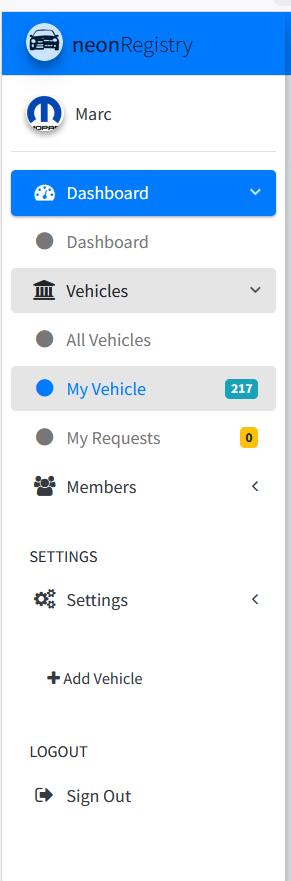
1. Open your Vehicles menu
Sign in, then in the left sidebar click or tap Vehicles > My Vehicles.
2. Open the vehicle profile
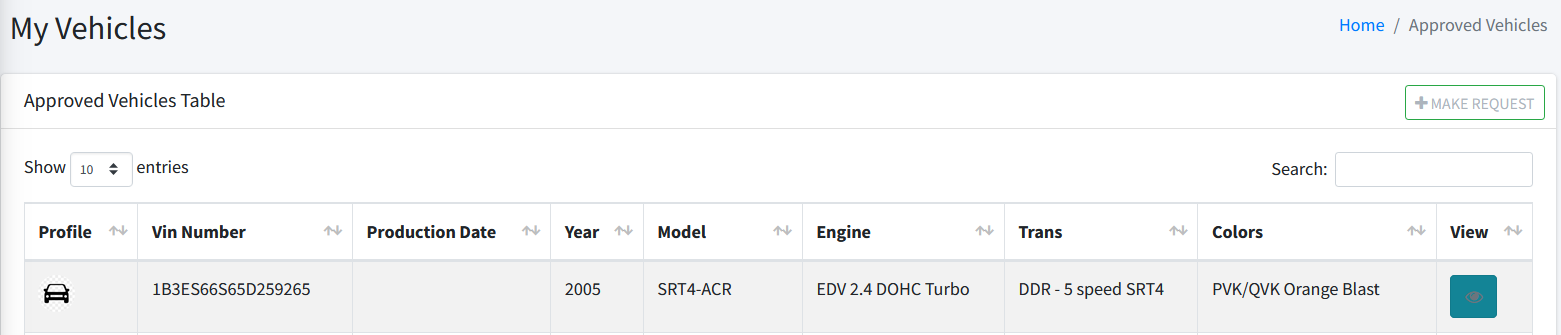
In the My Vehicles table, scroll to the right and click the eye icon to view the vehicle.
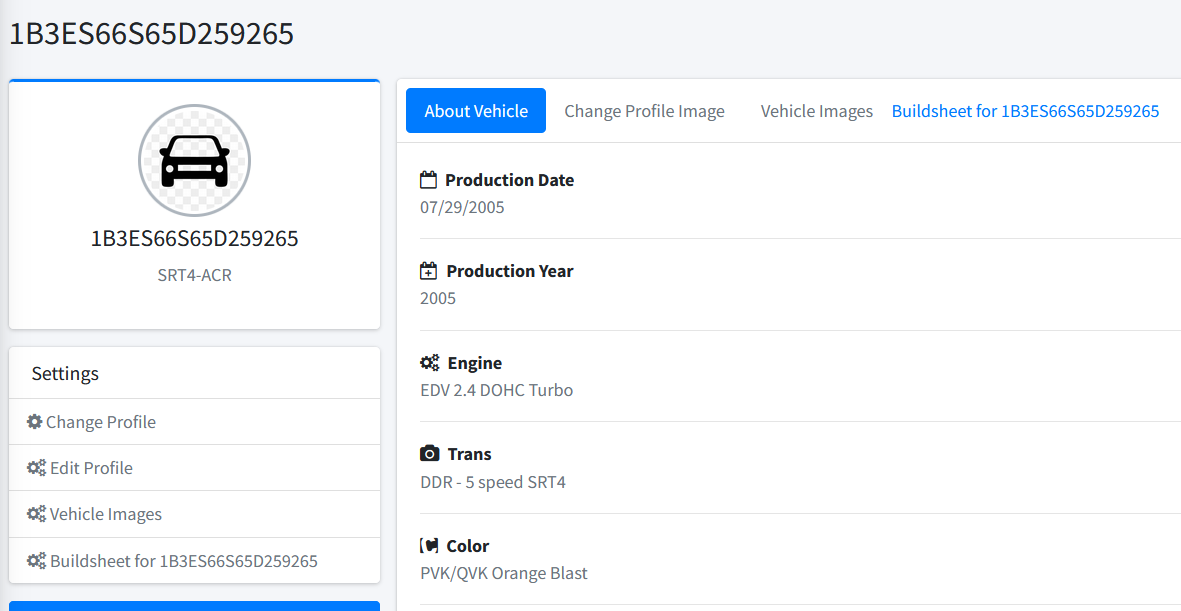
3. Go to Edit Profile
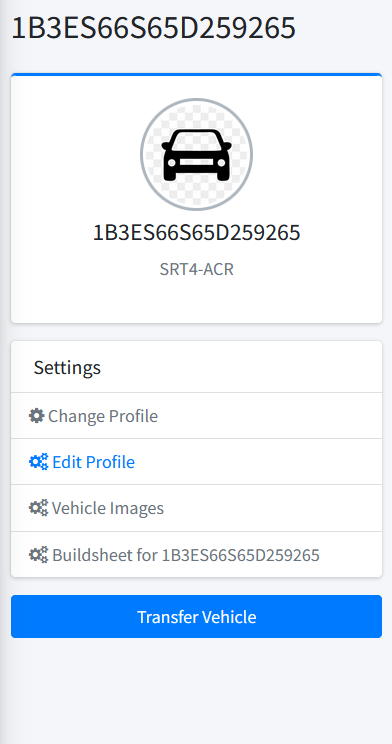
On the vehicle profile page, under Settings, click Edit Profile.
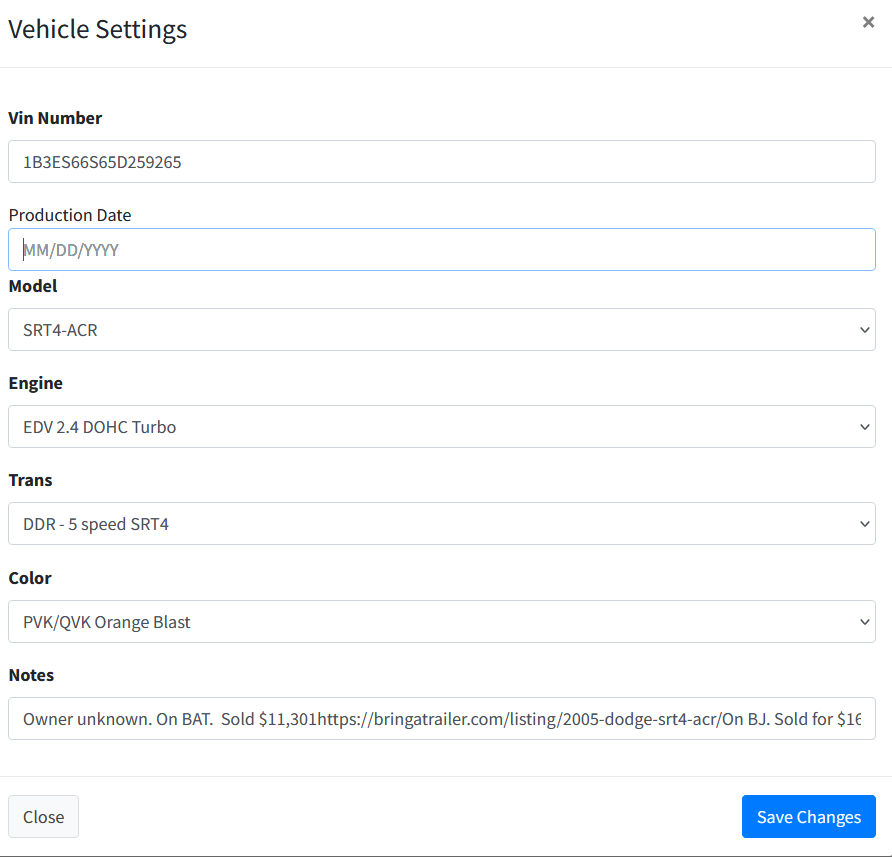
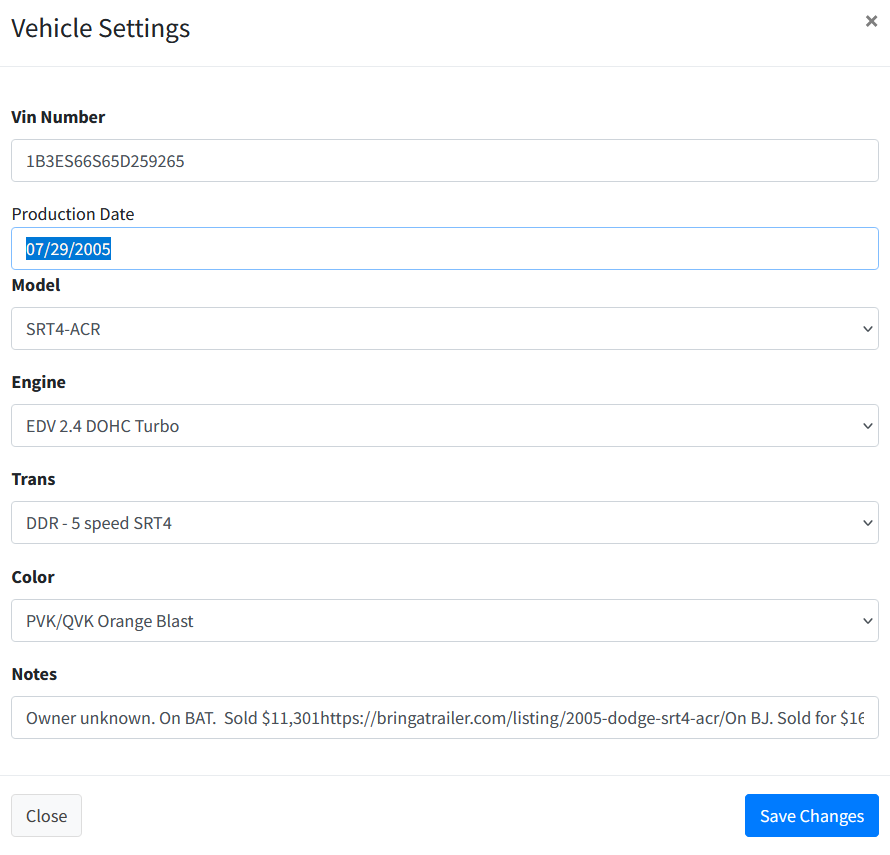
4. Update your vehicle details
Edit Production Date, Model, Engine, Trans, Color, and Notes, then click Save Changes.